Version 1.0.1 · Android 8.0+

Log anything
with one tap.

Activity Tracker remembers when things happen – the glass of water, the cup of coffee, the walk, the pill – so you don't have to. Tap once to record. Watch the patterns appear.

  • No account
  • No ads
  • Your data stays on your phone
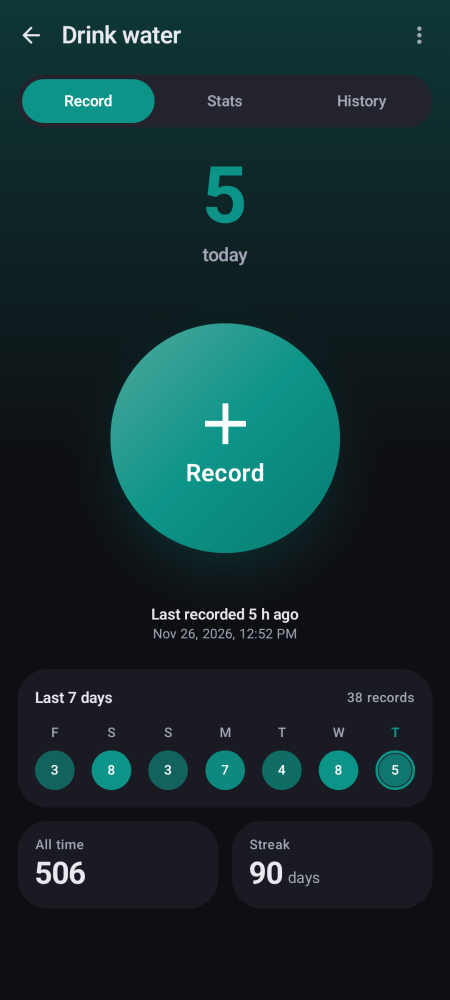
Record screen with a large Record button and today's count
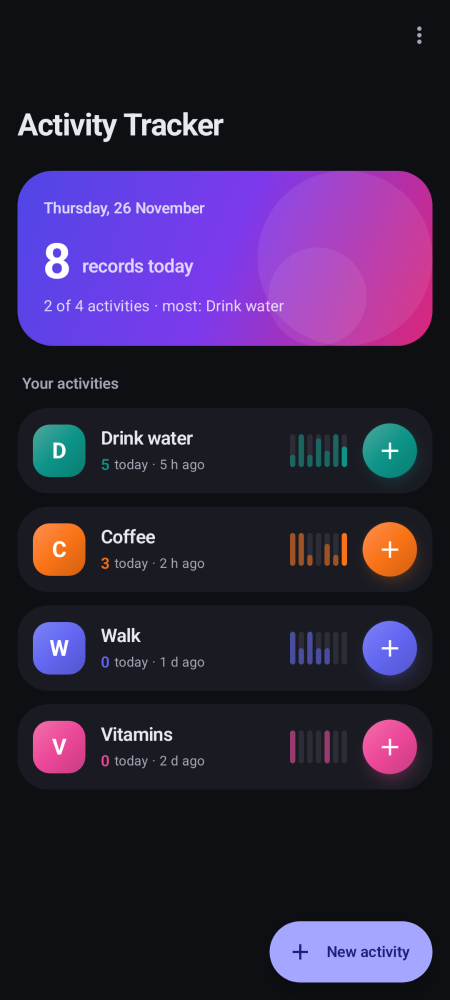
Home screen listing activities with today's counts and quick-record buttons
1

Create an activity

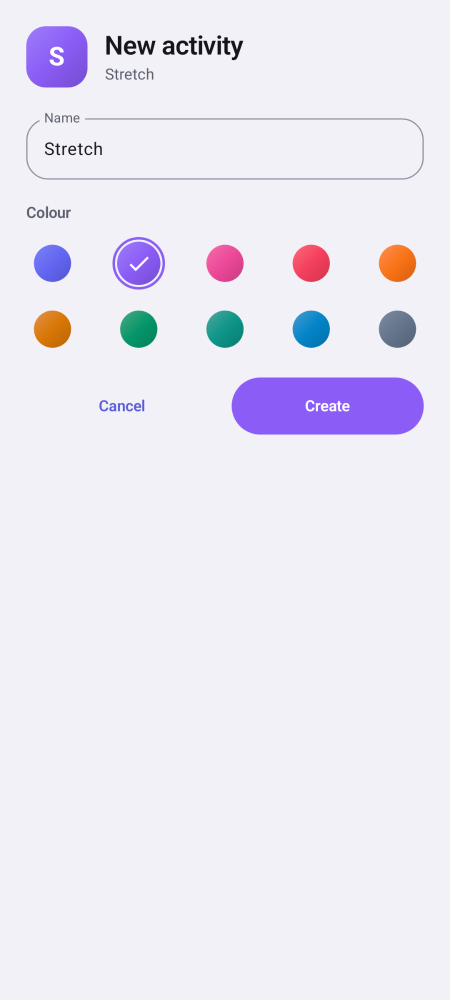
Give it a name and a colour. "Drink water", "Coffee", "Took meds" – anything you want to count.

2

Tap to record

One tap saves the exact date and time. From the app, the list, or right from your home screen.

3

See the patterns

Daily totals, busiest hours, streaks and timelines turn a pile of taps into real insight.

Features

Simple to use. Surprisingly insightful.

Most trackers ask you to fill in forms. Activity Tracker asks for a single tap – and does the rest.

Home

All your activities, at a glance

The home screen opens with a summary of your day – how many records you've made, across how many activities, and which one leads. Below it, every activity gets its own card with today's count, the time since you last logged it and a mini 7-day chart.

  • Create, rename, recolour and delete as many activities as you like
  • Quick-record straight from the list with the round + button
  • Ten vivid colours, so every habit is instantly recognisable
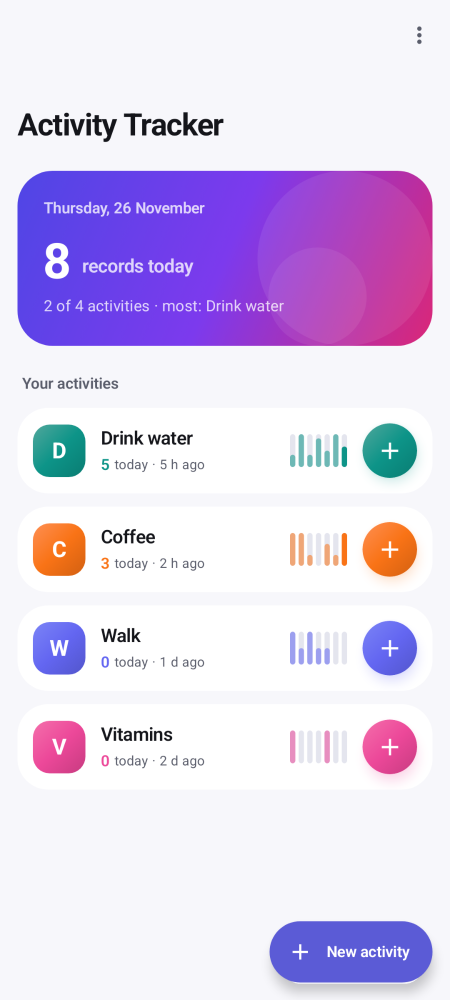
Home screen with a daily summary card and four activities
Record

One big button. That's it.

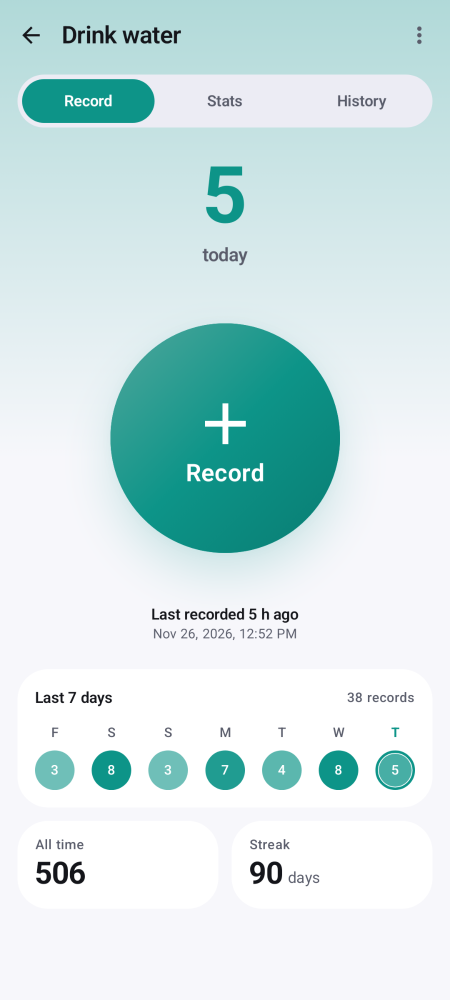
Open an activity and you're greeted by a huge, satisfying Record button. Tap it and the current date and time are saved instantly. Tapped by accident? Hit Undo.

  • Today's total front and centre
  • "Last recorded" time so you never wonder "did I already…?"
  • A 7-day strip, all-time total and current streak below
Record tab showing 5 records today and a large Record button
Stats

Charts that tell the story

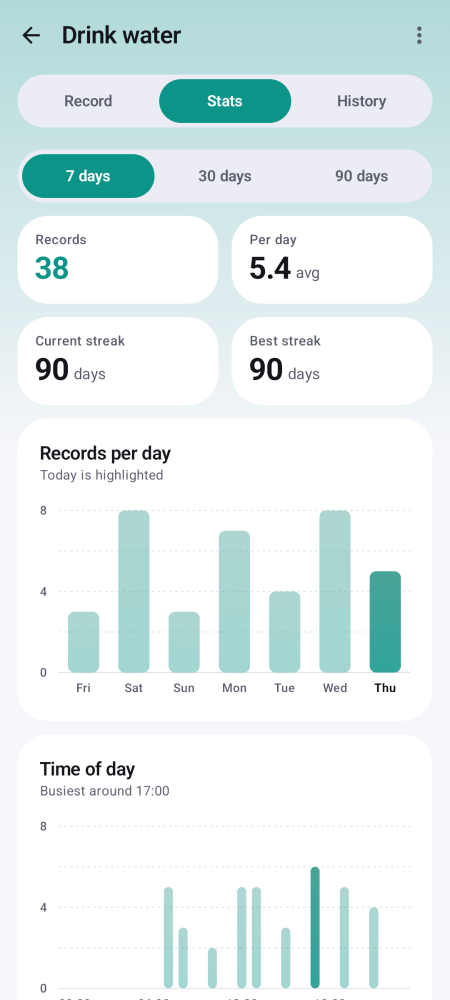
Switch to Stats and pick a window – 7, 30 or 90 days. You'll see how many records you made each day, what time of day you're most active and a timeline where every dot is a single record.

  • Records per day, with today highlighted
  • Time-of-day histogram – "busiest around 17:00"
  • Average per day, current streak and best streak
Stats tab with records, per-day average, streaks and a bar chart
History

Every record, neatly organised

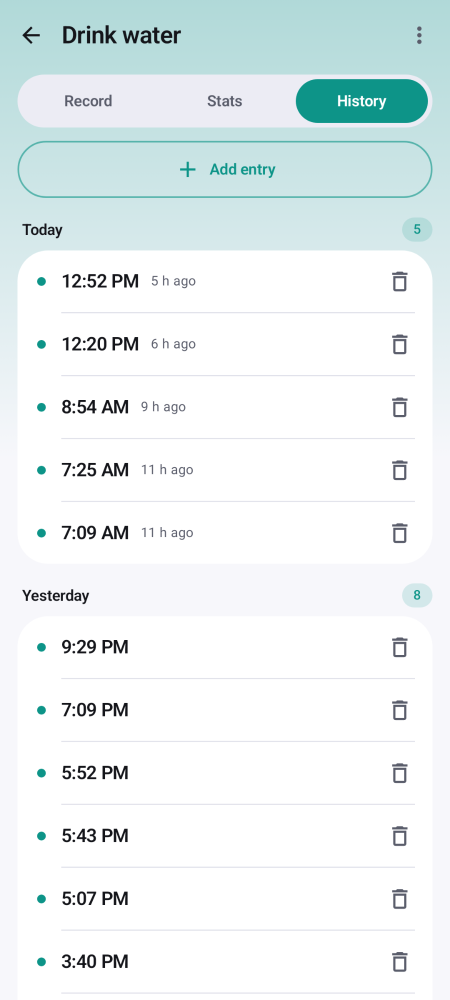
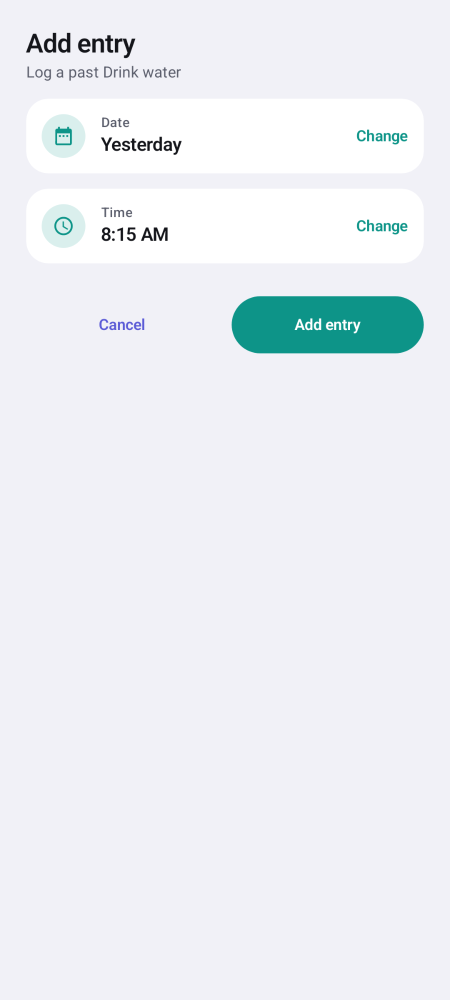
History lists every record grouped by day. Remove a mistake with a swipe (and Undo, of course), or use Add entry to log something you forgot – pick any past date and time.

  • Grouped by day for easy scanning
  • Backfill missed records at the exact time they happened
  • Future times are blocked, so your data stays honest
History tab with records grouped by day
Add entry sheet with date and time pickers
Home-screen widgets

Record without even opening the app.

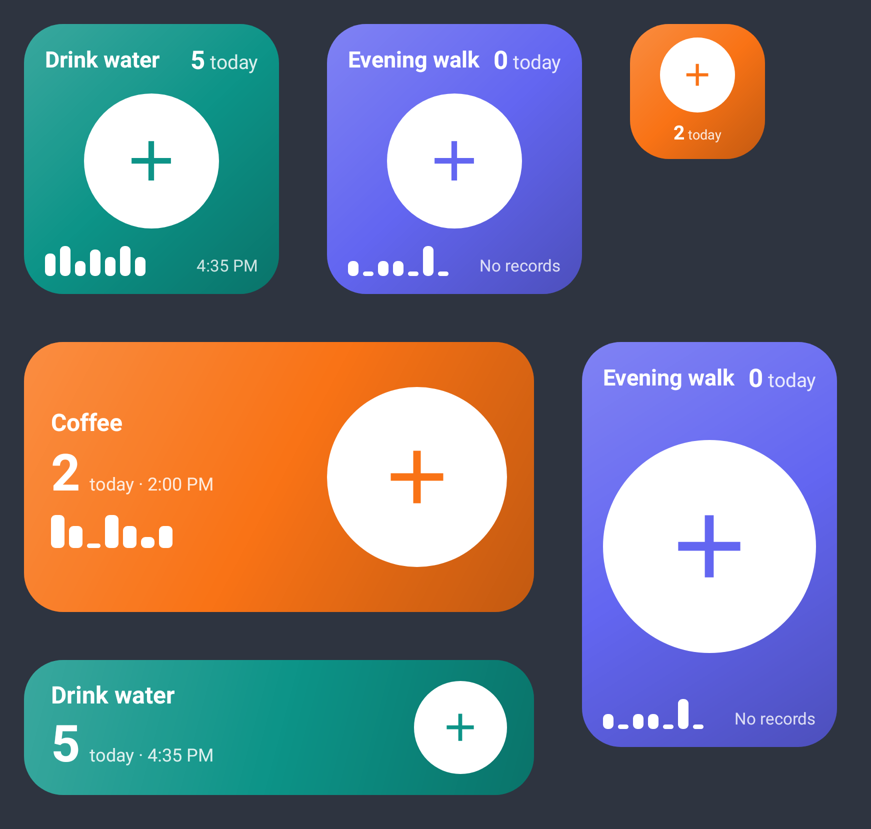
Put any activity on your home screen as a widget in its own colour. A big white button records with a single tap, while the card shows today's count, the time of your last record and a 7-day bar chart.

Compact 1×1Square 2×2Tall 2×3Wide 4×1Wide 4×2

Add one from your launcher's widget picker, or from any activity's ⋮ menu → Add widget to home screen.

Activity widgets in compact, square, wide and tall sizes
Use cases

If it happens, you can track it.

Activity Tracker doesn't decide what matters to you. Here's how people put it to work.

💧

Healthy habits

Count glasses of water, stretches or servings of fruit. Streaks keep you motivated to show up every day.

💊

Medication & supplements

"Did I take it?" – answered in a glance. Log each dose and see exactly when you last took it.

☕

Cutting back

Coffee, snacks, cigarettes, doom-scrolling. Seeing the real numbers is the first step to changing them.

👶

Baby & pet care

Feeds, nappy changes, walks, meals. Share the timeline with the vet or doctor when they ask "how often?"

🩺

Symptoms & wellbeing

Headaches, sneezes, mood dips. The time-of-day chart helps spot triggers you'd never notice otherwise.

🏃

Fitness & routine

Walks, workouts, practice sessions, early wake-ups. Build consistency and watch your best streak grow.

🏠

Around the house

Watered the plants, fed the fish, ran the dishwasher. Never double up or forget a chore again.

📊

Personal data projects

Export clean CSV with ISO timestamps and Unix milliseconds – ready for a spreadsheet, Python or R.

Private by design

No sign-up, no cloud account, no tracking of you. Your records live in a local database on your device.

Export to CSV

Export everything, or just one activity. Columns: activity, date, time, datetime, unix_ms.

Import without duplicates

Restore a backup or move to a new phone. New activities are created; records you already have are skipped.

Light & dark

A polished Material 3 design that follows your system theme, with smooth motion and swipeable tabs.

FAQ

Questions, answered.

Which phones does it run on?

Any phone or tablet with Android 8.0 (Oreo) or newer.

Do I need an account or internet connection?

No. Activity Tracker works completely offline and never asks you to sign in. Everything is stored on your device.

How do I back up my data or move to a new phone?

Open the ⋮ menu on the main screen and choose Export all data (CSV). On the new phone, install the app and choose Import from CSV. Re-importing never creates duplicates.

I forgot to log something earlier. Can I add it?

Yes – open the activity, go to History and tap Add entry. Choose the date and time it actually happened.

How many activities can I track?

As many as you like. Each one gets its own colour, stats and optional home-screen widget.

Will updating erase my records?

No. New versions install over the old one and keep all your data. Existing widgets switch to the new design automatically.

Start tracking in ten seconds.

Download the APK, open it on your phone and create your first activity. Free, offline and yours.

Download APK · v1.0.1

Android 8.0+ · You may need to allow installs from your browser or file manager.